Delete eForms
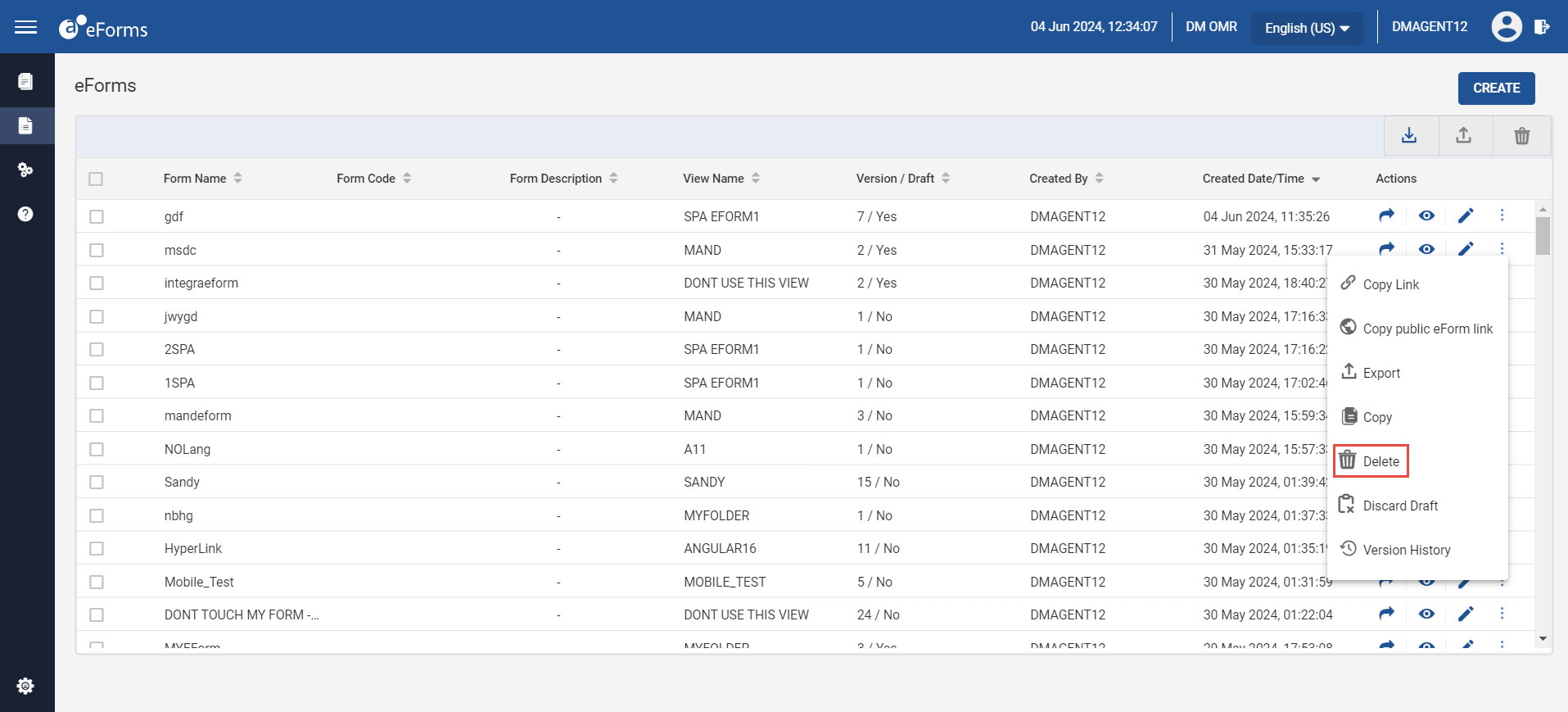
Users can delete eForms by performing the following steps:
Click eForms from the navigation menu. The eForms page appears.
Click the ellipses corresponding to the preferred eForm.
Click Delete. The Delete confirmation pop-up page appears.
Click Yes to delete the selected eForm.
Sample Screen
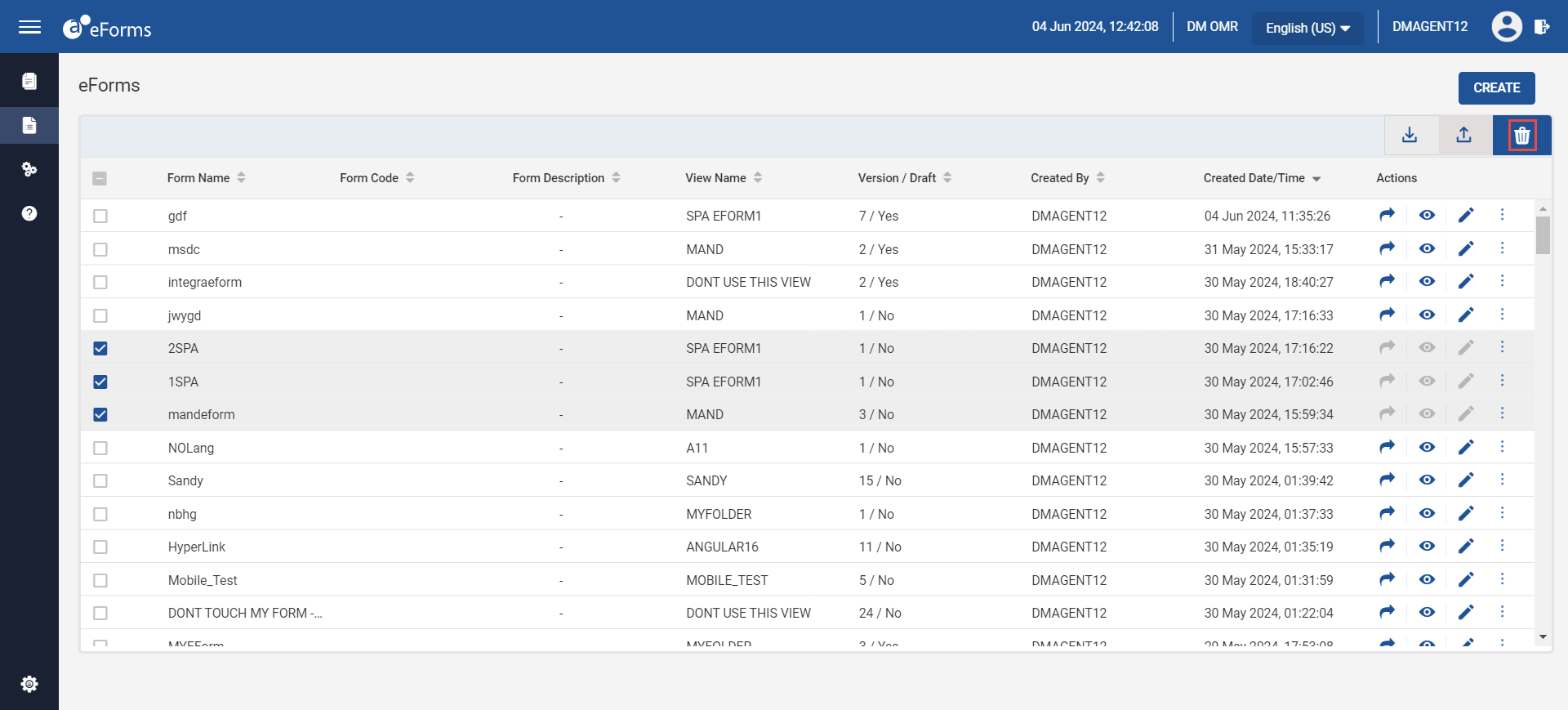
Delete eForms in Bulk
Users can delete multiple eForms by checking on the checkboxes corresponding to the preferred eForm and clicking the Delete icon on top of the page.